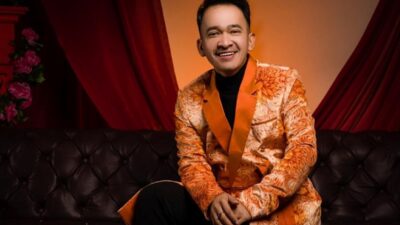


Gemini AI kini menjadi salah satu platform edit foto berbasis AI yang paling ramai digunakan di media sosial. Melalui fitur Nano Banana, pengguna bisa menghasilkan foto dengan berbagai gaya hanya dengan mengetikkan prompt. Mulai dari mengganti background, memberikan efek retro, hingga membuat potret formal ala studio.
Berikut panduan lengkap beserta kumpulan prompt yang bisa langsung Anda coba.

Cara Mengedit Foto di Gemini AI
Untuk pemula, langkah edit foto di Gemini AI sangat sederhana:
- Buka Gemini AI.
- Pilih tools Nano Banana.
- Klik tombol “+” untuk unggah foto.
- Masukkan foto yang ingin diedit.
- Tulis prompt dengan jelas dalam bahasa Inggris.
- Tekan Enter.
- Tunggu hasil selesai.
- Jika kurang sesuai, perbaiki prompt agar lebih detail.
10 Prompt Populer Gemini AI
1. Cara Ganti Background
Prompt:
“Change the background to the night view of New York City with lots of lights. Do not alter the original face.”
2. Cara Ubah Foto Jadi Lukisan Cat Air
Prompt:
“Turn this photo into a watercolor painting-style portrait with bright colors and an artistic impression. Keep the original face unchanged.”
3. Cara Menggabungkan Dua Foto
Prompt:
“Combine these two images. Make me look like I am sitting on the sofa with my cat sleeping on my lap. Do not alter the original face.”
4. Cara Membuat Foto Formal ala Studio
Prompt:
“Transform my photo into a formal studio-style portrait. Add a black slim-fit suit while posing in a modern elevator with cinematic lighting. Keep the original face intact.”
5. Cara Ubah Foto Jadi Karakter Anime
Prompt:
“Turn my photo into an anime-style character with large eyes and unique hairstyle. Keep my original facial expression unchanged.”
6. Cara Tambahkan Efek Retro 90-an
Prompt:
“Add an analog film camera effect to this photo. Include soft grain, thin scratches, and slightly faded colors like Kodak film.”
7. Cara Gabungkan Foto Masa Kecil dan Dewasa
Prompt:
“Combine a childhood and adult photo. Show them hugging each other closely in a polaroid-style picture, with warm lighting and slight blur for a nostalgic vibe. Keep the original face intact.”
8. Cara Membuat Foto Polaroid Klasik
Prompt:
“Turn this into a classic polaroid photo with a white frame. Add subtle grain effects and slightly faded colors like analog camera results.”
9. Cara Membuat Foto Old Money Aesthetic
Prompt:
“Transform this into an Old Money aesthetic portrait. Add warm muted tones, background of a luxurious classic interior such as an old library, with soft lighting. Keep the original face unchanged.”
10. Cara Membuat Foto Profil Minimalis
Prompt:
“Make this photo a minimalist portrait with a plain white background. Add clean studio lighting and focus on facial expression. Remove all background objects.”
25 Prompt Studio Gemini AI
Selain tren kreatif di atas, ada juga tren foto studio virtual yang semakin viral. Berikut daftar lengkapnya.
Untuk Cowok
Cara Membuat Foto Formal Elegan
Prompt:
“Turn this photo into a formal studio portrait. Keep the original face intact. Pose standing straight with arms crossed, wearing a navy blue suit, white shirt, and black tie. White plain background, softbox lighting.”
Cara Membuat Foto Kasual Santai
Prompt:
“Edit this photo into a casual studio portrait. Pose sitting casually on the floor, wearing a plain white T-shirt and light blue jeans. Add sneakers, a snapback cap, and a vintage radio as props.”
Cara Membuat Foto Modern Artistik
Prompt:
“Turn this photo into a modern studio portrait. Sit on a chair with one hand holding a book, wearing a black turtle neck. Dark blue background with circular spotlight.”
Cara Membuat Foto Sporty
Prompt:
“Transform this into an athletic studio portrait. Pose standing while holding a basketball, wearing a sleeveless jersey. Dramatic spotlight lighting, dark background.”
Untuk Cewek
Cara Membuat Foto Glamour Malam
Prompt:
“Make this a glamour studio photoshoot. Pose standing gracefully, wearing a long red gown with a high slit. Add dramatic spotlight, black background with thin smoke effect, and luxurious jewelry accessories.”
Cara Membuat Foto Profesional
Prompt:
“Turn this into a formal studio portrait. Pose standing upright in a white blazer and slim-fit pants. Two-sided softbox lighting, plain white background, wearing a thin wristwatch as accessory.”
Cara Membuat Foto Fashion Minimalis
Prompt:
“Edit this into a modern minimalist portrait. Pose sitting on a tall chair in a simple black dress. Dramatic spotlight lighting, gray gradient background.”
Untuk Keluarga
Cara Membuat Foto Keluarga Formal
Prompt:
“Turn this into a formal family studio portrait. Keep all original faces intact. Father in suit, mother in navy gown, children in white and pastel outfits. White plain background, evenly spread softbox lighting.”
Cara Membuat Foto Keluarga Kasual Ceria
Prompt:
“Transform this into a casual family portrait. Sitting together on the floor, wearing white T-shirts and jeans, cheerful expressions, colorful balloons as props.”
Cara Membuat Foto Keluarga Glamour
Prompt:
“Make this family photo glamorous. Father in black suit, mother in red gown, children in party outfits. Dramatic spotlight lighting, dark background.”
Untuk Sahabat
Cara Membuat Foto Sahabat Ceria
Prompt:
“Turn this friends’ photo into a cheerful studio portrait. Sitting casually on the floor side by side while laughing, wearing white T-shirts and jeans, with colorful balloons as props.”
Cara Membuat Foto Sahabat Elegan
Prompt:
“Edit this into an elegant friends’ studio portrait. Pose standing next to each other, both wearing black blazers and trousers, softbox lighting, plain white background.”
Cara Membuat Foto Sahabat Fashionable
Prompt:
“Transform this into a fashion studio portrait. Sitting on high chairs facing opposite directions, wearing modern contrasting color dresses, dramatic spotlight, gray background.”
Untuk Pasangan
Cara Membuat Foto Pasangan Formal Romantis
Prompt:
“Turn this couple’s photo into a formal studio portrait. Man in black suit, woman in elegant navy gown, pose holding hands, plain white background.”
Cara Membuat Foto Pasangan Kasual Manis
Prompt:
“Edit this couple’s photo into a casual portrait. Sitting on the floor leaning against each other, both wearing white T-shirts and jeans, with a red heart-shaped pillow as a prop.”
Cara Membuat Foto Pasangan Dramatis
Prompt:
“Make this couple’s photo look like a glamorous photoshoot. Man holding the woman’s waist, woman in a long red gown, dramatic spotlight, plain black background.”
Aturan Penggunaan Gemini AI
Meski menyenangkan, ada aturan penting yang wajib diperhatikan:
- Tidak boleh mengedit wajah orang lain tanpa izin.
- Tidak diperbolehkan menggunakan wajah selebriti atau figur publik.
- Hindari pembuatan deepfake yang bisa menyesatkan.
- Jaga etika dan privasi.
Kesimpulan
Gemini AI dengan fitur Nano Banana menghadirkan revolusi baru dalam editing foto. Dengan prompt yang tepat, hasil bisa terlihat realistis, mulai dari gaya kasual, anime, polaroid klasik, hingga potret keluarga profesional.
Kreativitas memang tanpa batas, tetapi gunakan Gemini AI secara bertanggung jawab agar tetap aman dan bermanfaat.